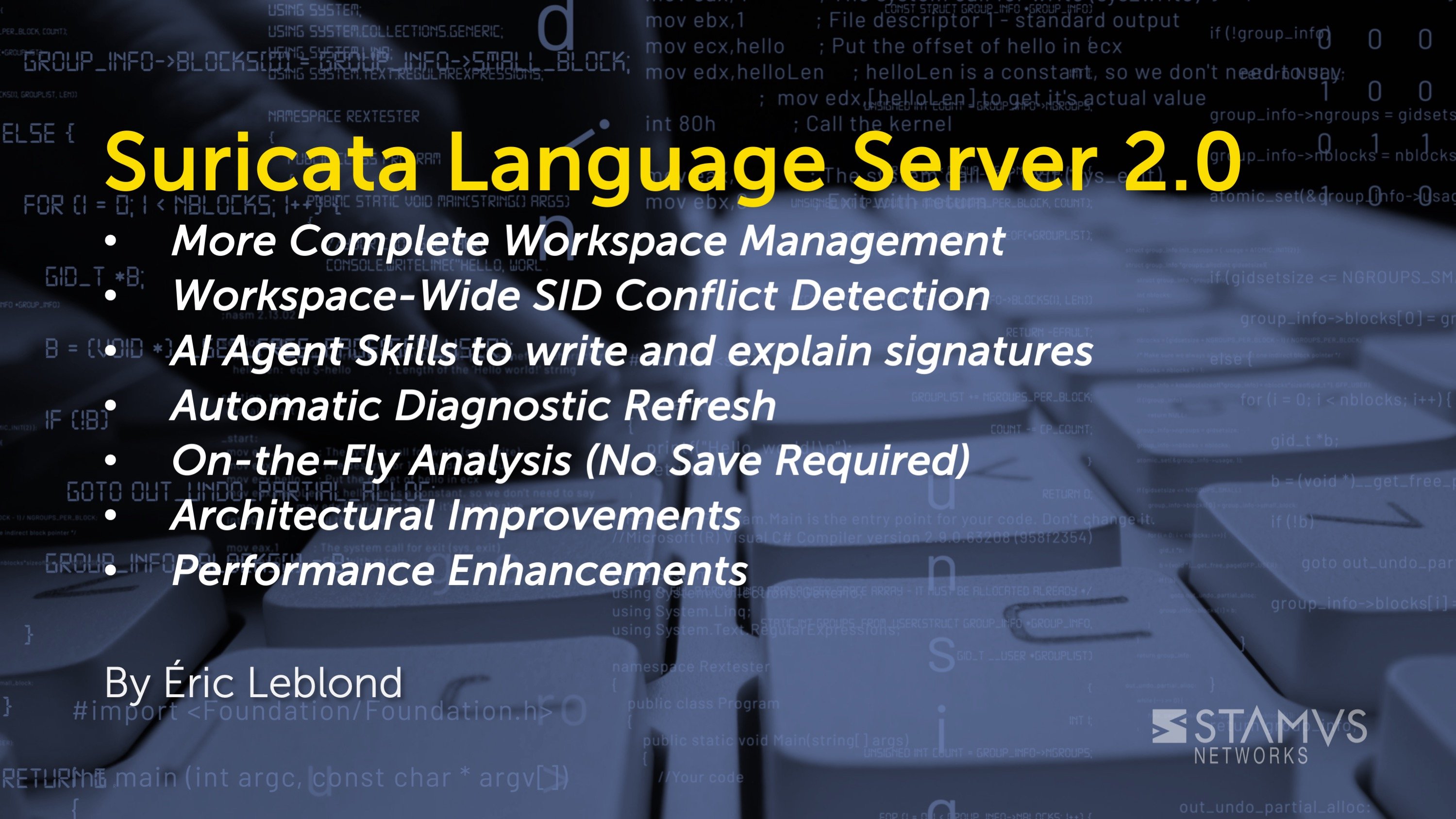
We're excited to announce version 2.0 of the Suricata Language Server, featuring workspace-wide analysis, intelligent conflict detection, and a complete architectural modernization. This release brings powerful new capabilities for managing large Suricata ruleset deployments.
What's New
More Complete Workspace Management
The Language Server Protocol includes a management of workspace. The user must first declare what – if any – workspace is used. This can be done for example by opening a folder in VS Code or Codium, and Neovim has a function to add a folder to the workspace.
Previous versions of SLS implicitly assumed the directory in which the open file is located to be the workspace. This was erroneous and was triggering potential issues for some users that could treat all the files in the same directory as independent files.
SLS 2.0 now handles workspaces correctly by answering to workspace update requests from the editor.
Workspace-Wide SID Conflict Detection
The language server now tracks signature IDs (SIDs) across your entire workspace and automatically detects conflicts between files. When you open or edit a rules file, you'll instantly see warnings if any SIDs collide with signatures in other files:
⚠️ Line 5: SID 2025002 conflicts with signature(s) in: emerging-threats.rules
Key benefits:
- Cross-file awareness: Never accidentally duplicate a SID across your ruleset
- Parallel analysis: Workspace scanning uses multi-threaded processing (3-4x faster than sequential)
- Smart exclusions: Files don't report conflicts with themselves
- Real-time updates: Conflict warnings appear as you type
- Completion: next SID available is now proposed by the completion based on the file or based on the workspace if available
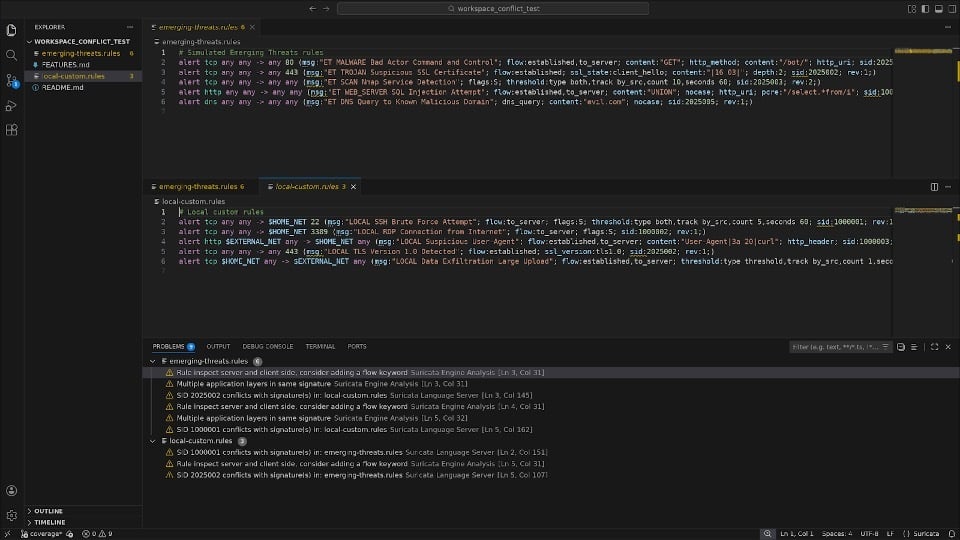
See this workspace handling (for SID conflict) demonstrated in the video below.
Automatic Diagnostic Refresh
No more manual file reloads! When you add or remove workspace folders, the language server automatically:
- Analyzes all .rules files in the new workspace
- Updates the SID conflict cache
- Refreshes diagnostics for all open files
- Shows progress notifications during analysis
This means instant feedback when reorganizing rulesets or adding new rule collections to your workspace.
On-the-Fly Analysis (No Save Required)
You can now get syntax validation and diagnostics without saving your file. The language server validates your rules in real-time by analyzing the buffer content directly. This provides immediate feedback while you're drafting new signatures.
AI Agent Skills to Write and Explain Signatures
We have published a series of AI Agent skills that use Suricata Language Server to help you when writing or explaining Suricata signatures.
Installation is straightforward as you can do in Claude Code:
/plugin marketplace add StamusNetworks/stamus-ai-tools
/plugin install suricata-rules@stamus-ai-tools
Then you can ask for generation of signatures, first activate the skills. For example to write a Suricata signature:
/suricata-rules:writer
Then you can ask the agent to write signatures. They will be checked with Suricata Language Server for syntax and performance, and they will follow the guidelines defined in the skill.
The same goes for the “explain” skill which provides clear explanations of the signature, and links to the documentation when needed.
See https://github.com/StamusNetworks/stamus-ai-tools for more information about its usage.
See this capability demonstrated in the video below.
Github action to check signatures
Detection engineering is a key element in providing efficient detection in modern SOC. With SLS 2.0 we are also introducing a Github action that verifies the signature in a repository using SLS.
As shown in the following screenshot, it can be configured to fail on syntax errors and/or on warnings:
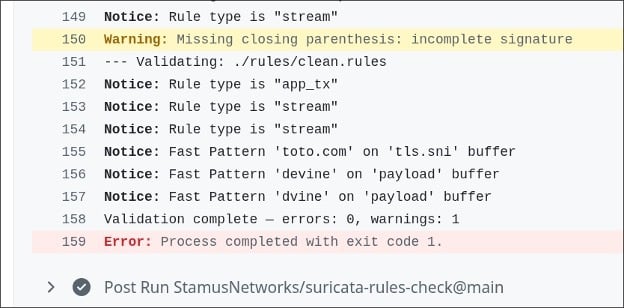
The suricata-rules-check action is now available on Github Marketplace. https://github.com/marketplace/actions/validate-suricata-rules
Deprecated Keyword Highlighting
The content modifier (deprecated in Suricata 7.0+) is now visually marked as deprecated in your editor with strikethrough styling. This helps teams migrate to modern buffer-based signatures by making deprecated syntax immediately visible.
Architectural Improvements
Migration to pygls 2.0+
The codebase has been completely refactored to use the official Python Language Server Protocol library (pygls 2.0+). This migration:
- Removes 315 lines of custom JSON-RPC code
- Improves reliability by leveraging battle-tested LSP infrastructure
- Simplifies maintenance and future feature development
- Enables better IDE integration across editors
How to Get SLS 2.0
Getting started with Suricata Language Server 2.0 is straightforward. If you're already running a previous version, simply upgrade via pip:
pip install --upgrade suricata-language-server
Prefer to build from source? Clone the repository and install in development mode:
pip install -e .
SLS 2.0 works out of the box with VS Code, VSCodium, and Neovim — just open a folder as your workspace and the new workspace intelligence features activate automatically. To supercharge your detection engineering workflow with AI-assisted signature writing and explanation, install the Stamus AI Tools plugin directly in Claude Code and get intelligent, syntax-validated rule generation in minutes.
Ready to level up your Suricata ruleset management?
- Star the project on GitHub and stay up to date on new releases
- Found a bug or have a feature request? Open an issue
- Explore AI-assisted signature authoring with Stamus AI Tools
Have questions or feedback? Reach out to the Stamus Networks team and the community on Discord – we'd love to hear how you're using SLS in your environment